
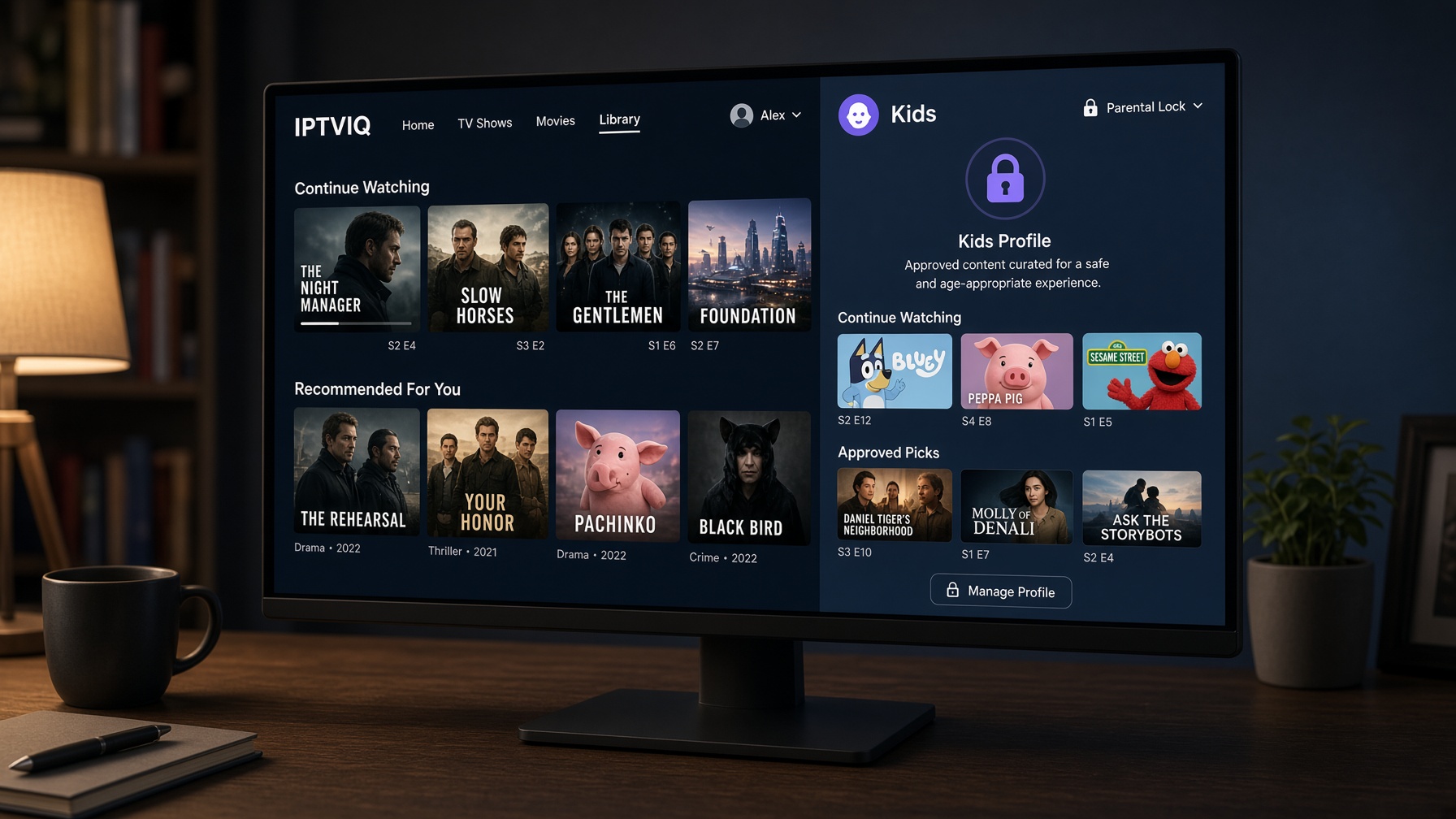
Sports IPTV fails in a specific way. The stream may work. The afternoon still falls apart. Two games kick off together. A third is on a channel you never favorited. The guide is missing, so “what’s on” becomes channel hopping. A short freeze dumps you back into a list of thousands. By the time the picture returns, a goal has already happened somewhere else.
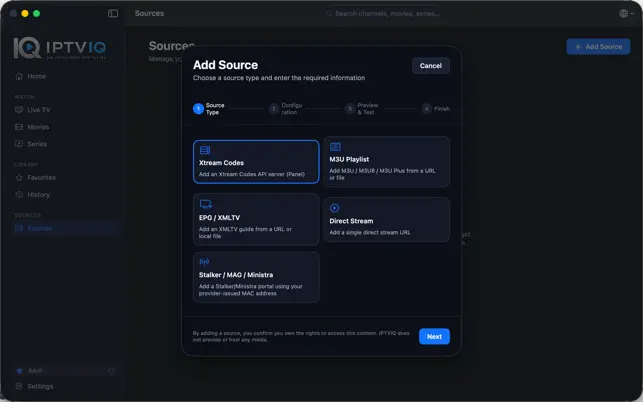
IPTVIQ is a native macOS player for the sports source you already have. It does not sell matches, league packs, or channels. Connect Xtream Codes, M3U or M3U8, XMLTV, or a compatible Stalker, MAG, or Ministra source. The app organizes live TV, movies, and series from that source. For sports, the useful layer is control: a guide, Recall, favorites, two-stream multiview, local recording, and a player that tries to recover instead of dying on a blip.
The current public app is the Mac player. Apple TV and phones are planned. A match-day article should not pretend the living-room client is already installed. The desktop is the screen that can hold a guide, a second stream, and a recording folder today.
The player is not the broadcaster
IPTVIQ does not own the fixture list. It does not replace a sports subscription. If the connected source does not carry a match, the player cannot invent it. If the source has no catch-up window, IPTVIQ cannot rewind the first half out of thin air.
Playback should stay direct: provider to Mac. That matters on busy sports nights because extra hops create extra failure points. Favorites and resume points are player state. The live match is still the provider’s stream.
Why sports makes a basic playlist look broken
A movie library can tolerate slow browsing. Live sport cannot. Kickoff is a clock, not a folder.
A raw M3U list usually fails sports viewers in four places:
- The channel exists, but it is buried under hundreds of similarly named feeds.
- Two useful matches are on at the same time.
- The guide is absent, so you only know what you are watching after the picture appears.
- A stall during a corner becomes a full restart.
IPTVIQ is built against that match-day mess. It will not make a weak source stable. It can make a usable source faster to drive.
Put the sports source on the Mac once
Add the account or playlist you are authorized to use. Keep extra sources if the household actually has them. Xtream, M3U, XMLTV, and MAG-style portals can sit side by side. A dedicated XMLTV guide is often the difference between a sports player and a channel dump.
Per-source proxy options exist for awkward routes. They are setup tools. They are not an IPTVIQ sports CDN.
The guide is the real sports interface
Live TV in IPTVIQ is not only a grid of logos. Category browsing, numeric channel entry, and Recall get you back to the channel you just left. The more important sports surface is the guide: a per-channel schedule and a mini-EPG overlay while the match is playing.
Now-and-next is how you decide whether to stay, switch, or open a second stream. Without it, every zap is a guess. With it, the Mac starts to feel like a desk for the afternoon rather than a remote with extra friction.
Guide quality still follows the source. IPTVIQ can organize XMLTV or provider EPG data. It cannot label “Match of the Day” onto a blank stream. If sports is the reason you want this player, the source’s guide is part of the product.
Favorites are the match-day shortlist
Nobody follows 400 sports channels. They follow a short set: one or two football feeds, a news ticker, maybe a second league, maybe a backup if the first feed dies.
Favorites in IPTVIQ turn that short set into the real home row. Because lists are profile-aware, a sports profile does not have to inherit someone else’s film row. On a shared Mac that is the difference between a match-day machine and a household argument.
History helps after the final whistle. Continue Watching is more VOD than live, but the same profile logic keeps a delayed film or a documentary from mixing into the sports row.
When two games overlap, one screen is not enough
This is the feature the sports angle exists for.
IPTVIQ supports two-stream multiview. Two compatible live channels can sit side by side. That is the practical answer to simultaneous kickoffs, a match plus a studio feed, or a main game plus a second league you refuse to ignore.
Multiview is a layout. Each stream still comes from the provider to the Mac. It is not a mosaic package sold by IPTVIQ, and it is not four-way television until a later platform actually ships a broader layout. Two streams on a desktop display is the current tool.
Use it with favorites. Open the two channels you already marked, rather than hunting the full list twice.
Catch-up, restart, and the local recorder
Sports marketing loves the sentence “pause live TV.” The accurate version is three tools.
Catch-up works when the provider kept the program.
Watch-from-start works when the provider allows a restart of the current show.
Local DVR works when IPTVIQ records a compatible live stream to a folder you choose.
The first two save you when you arrive late and the source offers an archive window. The third saves you when you know you will miss the second half and want a file on the Mac. Current DVR is manual and local. It is not cloud DVR. It does not upload the match. Scheduled EPG-based recording is planned, which is the version sports users actually want: record this fixture from the guide. That is not the workflow to advertise as present.
A local recording is personal time-shifting of a stream you could already watch. It is not a file to post or share.
Keep the picture up when the network blinks
Match-day networks are sloppy. Someone starts a download. The stream hitchs. A basic player dies and sends you back to the list during the worst possible minute.
Smart Recovery is designed to detect a real stall and reconnect. It cannot repair a source that is actually down. It can stop a two-second blip from becoming a scavenger hunt through sports categories. Combined with Recall and favorites, that is more valuable than another theme.
Profiles on a sports Mac
A sports article still needs the household line, because the same computer may not stay in sports mode.
Adult sports favorites should not become a child’s home screen. Kids rules, when a child profile is used, apply across Home, Search, Guide, and playback. For this angle, profiles exist so the match-day layout survives other people using the Mac.
Do not describe a phantom sports-bar ecosystem
Cloud Sync, Apple TV, phones, QR pairing, and a web portal are not the current sports kit.
If Cloud Sync arrives, the sports-relevant state is obvious: favorite channels, resume points, profile layout, EPG mappings. Not the recorded file. Not the live feed routed through an IPTVIQ server. Minute 42 belongs in metadata. The match still opens from the provider.
Until those devices ship, the honest sports setup is one Mac, one source, a guide, two streams, and a local folder.
Formats underneath the afternoon
Sports feeds arrive in the same mixed formats as the rest of IPTV: HLS, MPEG-TS, MPEG-DASH, MP4, plus whatever the provider chose. Compatibility is required. It is not why someone chooses this article. They choose it because the Mac can hold the match and the second match without going back to a text list.
Sports comparison
| Need on match day | Basic IPTV player | IPTVIQ on Mac today | Later direction |
|---|---|---|---|
| Open a live sports feed | Yes | Yes | Yes |
| Guide / now-and-next | Weak or missing | Integrated EPG + mini overlay | Same idea on more screens |
| Fast return to last channel | Varies | Recall / recent | Same |
| Sports shortlist | Simple favorites | Per-profile favorites | Synced favorites later |
| Two games at once | Rare | Two-stream multiview | Broader layouts if a platform fits |
| Arrive late | Only if source has catch-up | Source-dependent catch-up / restart | Same |
| Miss the second half | Rare recorder | Manual local DVR | Scheduled EPG recording |
| Survive a short drop | Often dies | Smart Recovery | Same discipline |
| Watch on Apple TV | Other apps | Not current | Planned |
| Cloud sports locker | Rare | No | Not the design |
Who this is for
This version is for people who already have a sports-capable IPTV source and lose time inside the list. It is for afternoons with overlapping fixtures. It is for viewers who want a second live image on a desktop, a favorite row that stays sports, and a recorder on a disk they control.
It is not a shop for official league passes. It is not a promise that every channel has timeshift. It is the wrong page if the only acceptable screen is an Apple TV this evening.
Match-day setup
- Install IPTVIQ on macOS 14 or later.
- Add the authorized sports source and, if you have it, the XMLTV guide.
- Favorite the channels you actually use before kickoff.
- Confirm the guide shows now-and-next on those channels.
- When two fixtures collide, open multiview instead of flipping blindly.
- If you must leave, record locally rather than hoping the source kept a replay.
Do the favorites before the first whistle. A smarter player cannot organize a panic.
What is available
Now: Mac app, multiple sources, live TV, EPG, favorites and history per profile, two-stream multiview, manual local DVR, Smart Recovery, movies and series for everything around the live weekend.
Planned: Apple TV, mobile and other desktops, state sync, scheduled recording.
Not current: IPTVIQ as a sports broadcaster, cloud DVR, a published TV sports client, routing matches through an IPTVIQ server.
Rights
The fixture belongs to the source and the rights holders. IPTVIQ does not grant sports access. Users stay responsible for provider terms and local law. Multiview does not create extra subscriptions. A local recording does not create a right to distribute the match.
Close
Sports IPTV is not won by loading more channels. It is won by reaching the right two channels in time, knowing what is on, keeping the picture alive, and saving the match you cannot sit through live.
On the Mac that exists now, IPTVIQ is that control layer for the source you already brought. The next screen can wait until it is real. Kickoff will not.
Your source. Your fixtures. A player that keeps up.